
Begin with the chosen approach
Describe the intent and how the character attempts it. Choose a common-check preset or enter an unusual action, then prepare the relevant skill and difficulty.
Tabletop rules and resolution
An action with intent.
A roll with stakes.
A change for the scene.

One uncertain action
Prepare what the character wants and what is at stake.
Describe the intent and how the character attempts it. Choose a common-check preset or enter an unusual action, then prepare the relevant skill and difficulty.
Add circumstances and the supplied roll. Review the outcome description and narration against your scene before deciding what happens at the table.
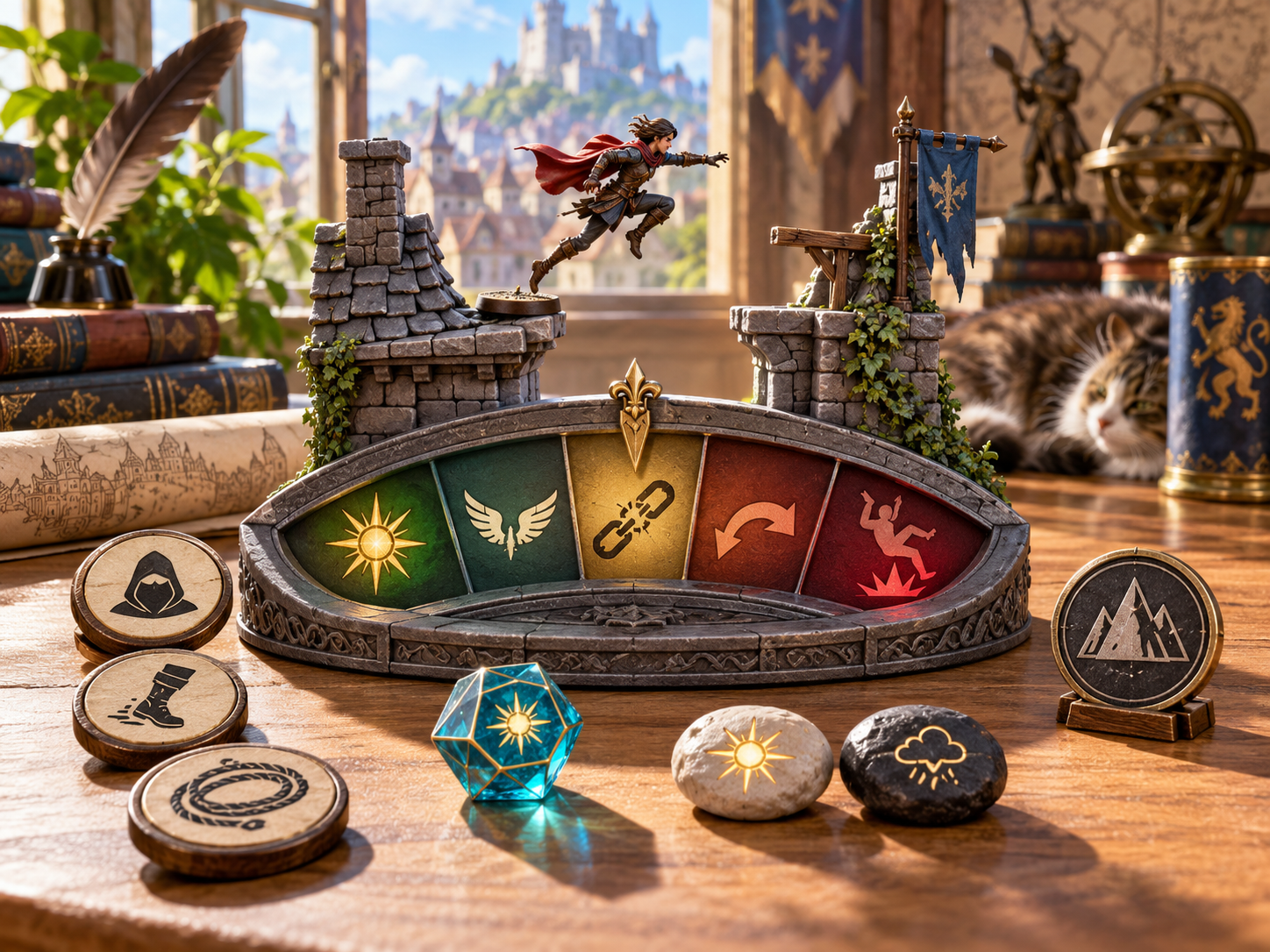
Circumstances and outcome descriptions
The illustration shows a rooftop figurine above a coloured outcome panel, with approach and weather tokens arranged beside a die.
Prepare the intent, skill, difficulty and circumstances. Review an outcome description and decide how it fits the action and stakes agreed at the table.
Prepare the action and review its outcome
Keep the check details together.
Describe what the character is trying to achieve. Keep the objective beside the action when reviewing what the check means for the scene.
Describe how the character attempts the action and select the relevant skill. Connect the check to the approach the player chose.
Choose a preset for a common check or describe an unusual action in plain language. Use the starting point that fits the situation.
Set the difficulty and agree on the stakes before interpreting the roll. Decide what the character is risking and trying to change.
Include assistance, useful tools and a favourable position. Review those circumstances alongside the action and difficulty.
Include obstacles, harmful circumstances and time pressure. Keep those details visible when preparing the outcome.
Enter the roll for the check and review its record and margin. Keep the dice result with the intent, difficulty and circumstances.
Work with exceptional success, success, success with cost, failure with movement or serious failure. Review the description for your scene.
Review the narration and decide what changes in play. Keep the outcome connected to the stakes and your campaign notes.
Save a resolved-check record, copy its short narration or keep a structured download. Review the full details when returning to an important moment.

Intent difficulty roll and result
The illustration shows players reviewing a rooftop model, an adventurer figurine, an outcome token and a rolled die during a tabletop session.
Choose a preset or describe an unusual action. Set the difficulty and circumstances, add the roll and review the narration beside the agreed stakes.
From an intention to a scene change
A focused workflow for the table.
Record what the character wants to achieve and the approach they chose. Select the relevant skill or a common-check preset.
Set the difficulty. Include tools, assistance, position, obstacles and time pressure, then decide what the action is risking.
Enter the roll and review the check record. Keep the intent and circumstances close when reading the outcome description.
Read the narration against the scene and agreed stakes. Decide what changes in play and keep the result with your notes.

A rooftop crossing with a complication
The illustration shows an adventurer reaching a rooftop while her bag strap catches on a gargoyle. Companions watch from below the crossing.
Use the scene as an example when considering an outcome with a cost or complication. Review the narration and choose what it means for the character next.
Keep important moments
Review the details after the scene.
Save a resolved-check record and reopen it when useful. Keep the important moments alongside your campaign preparation.
Review earlier checks and compare the circumstances around them. Keep each recorded intention and outcome with its own scene notes.
Copy the short narration for the table. Review it beside the agreed stakes before introducing what changes in play.
Keep the full intent, difficulty and circumstance record or download the structured result. Use those details when returning to the scene.
Your workspace and related tools
Open your tools through your VISINVOKE account.

Open Skill Check Resolver in DCC. Get the desktop workspace through your account installer page.

Prepare a separate story about making amends, its cost and how others respond. Use that material alongside your adventure.
Product illustrations show a rooftop action, outcome descriptions, tabletop preparation and a crossing with a complication.
Questions and answers
Intent, difficulty, circumstances, narration, records and account access.
It prepares an uncertain non-attack action from the character intent, approach, relevant skill, difficulty, circumstances and supplied roll, with an outcome description and narration to review for the scene.
Choose a common-check preset, enter the intent and approach, set the difficulty and add the roll. Review the resulting narration against the stakes before using it at the table.
Refine the skill, tools, position, time pressure, assistance, hindrances, known stakes, hidden risks, outcome tone and boundaries for what the result should change.
The approved workflow describes exceptional success, success, success with cost, failure with movement and serious failure. Review the outcome and narration before deciding what happens in your scene.
Save and reopen resolved-check records, compare important moments, copy the short narration, keep the full intent and circumstance record or download a structured result.
Open Skill Check Resolver from the Generators collection in VISINVOKE Desktop Control Centre. Create an account or sign in and get DCC through your account installer page.
Continue in VISINVOKE
Create an account or sign in. Get Desktop Control Centre through your account installer page and open Skill Check Resolver.
Keep important checks and narration beside your campaign notes.